Docs Guides
Add private channels and groups
Read a private channel or a group chat without a public @name — all you need is an invite link.
~2 minPro 50 and up
1
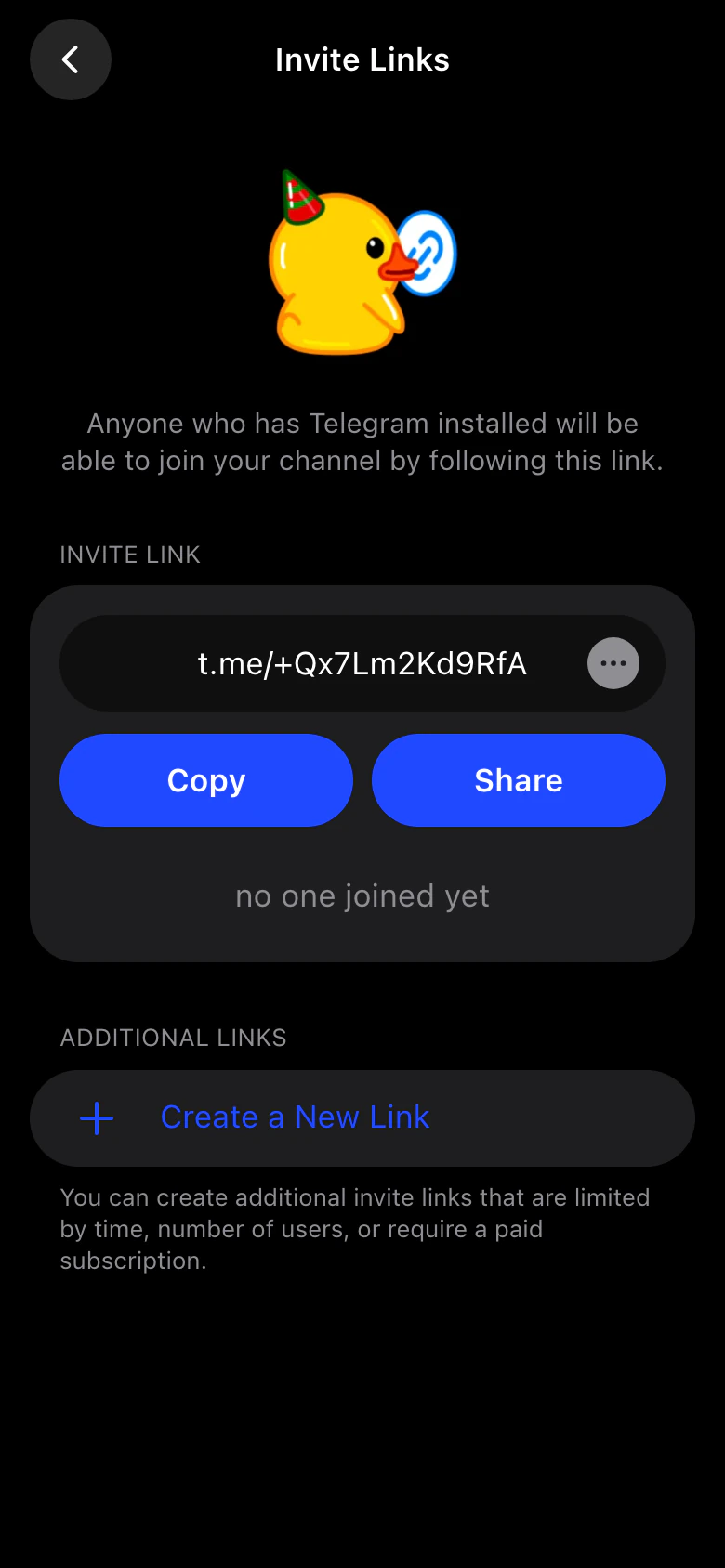
Copy the invite link
In Telegram, open the channel or group info and copy its invite link — a t.me/+… link. Ask an admin for one if you don't see it.
2
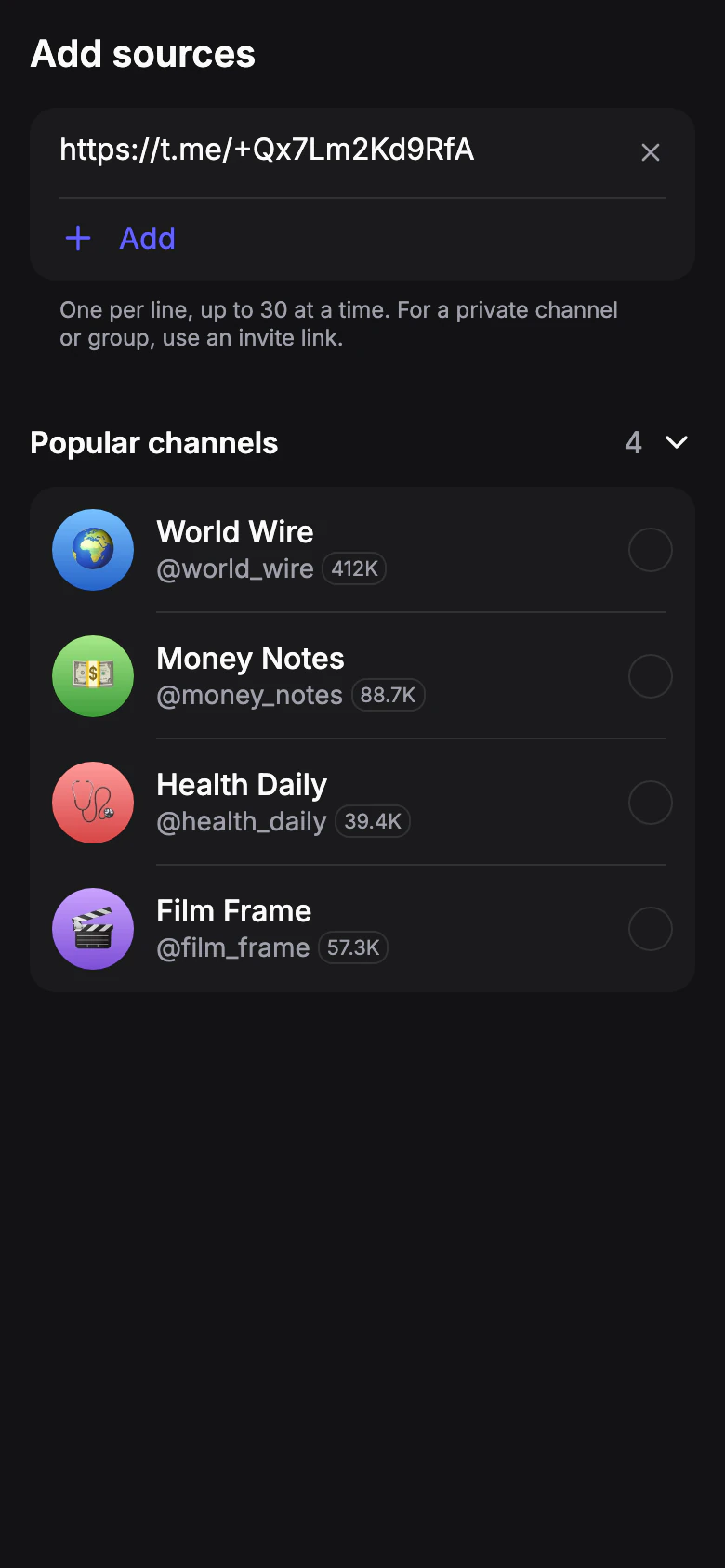
Add it as a source
Open Sources, tap New source and paste the link. You can paste several links, one per line.
3
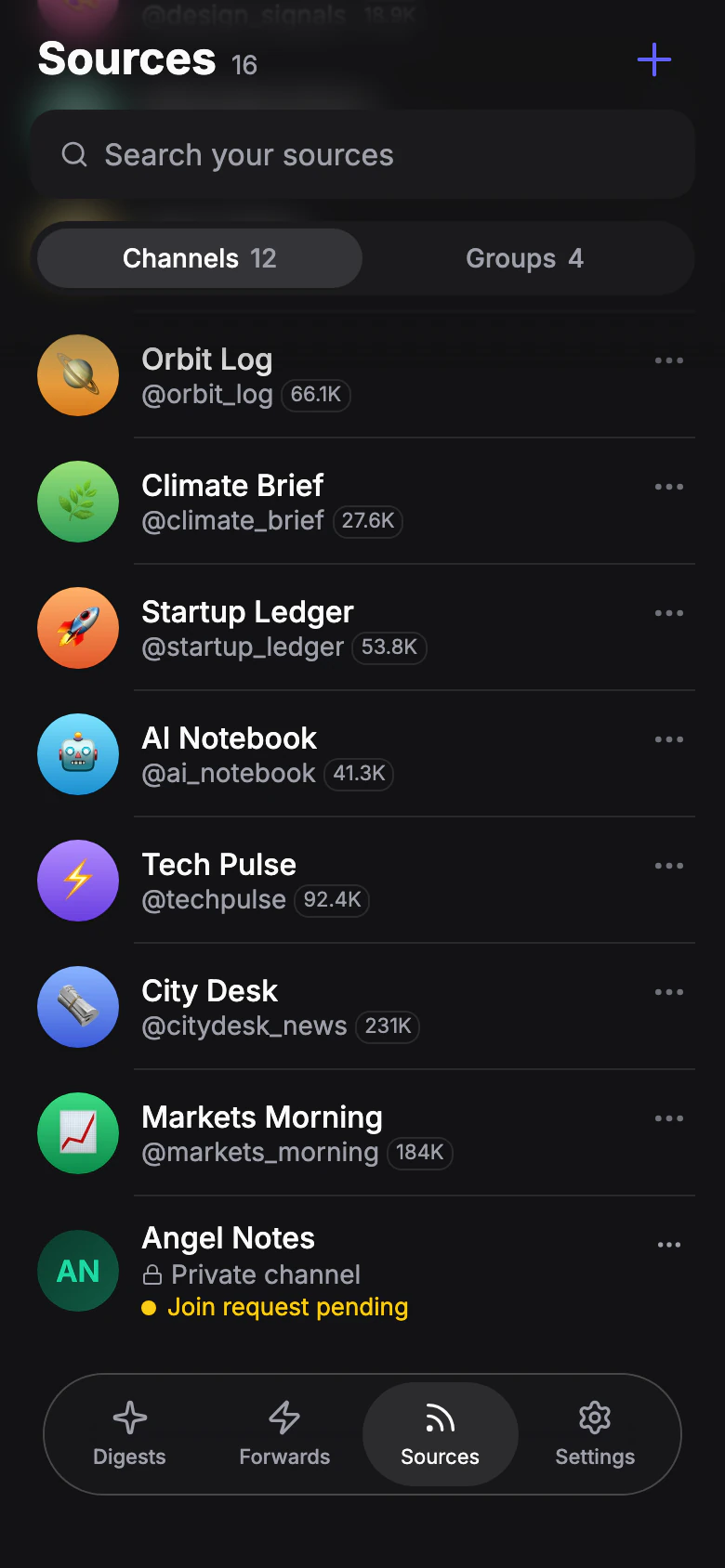
Wait for approval if needed
If the chat approves new members, the source shows Join request pending. It appears in your sources once an admin approves the request; nothing else to do.
4
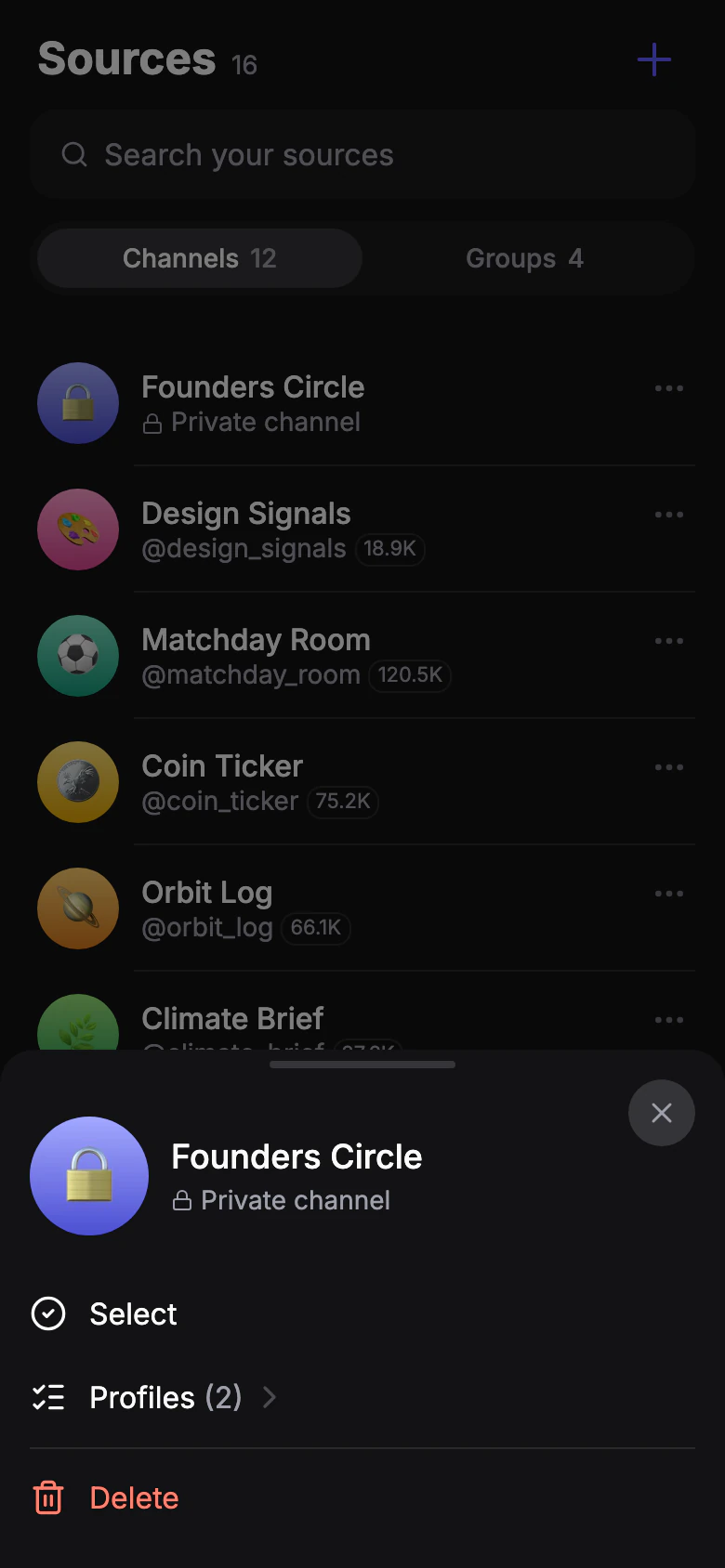
Add it to a profile
Profiles set to All sources pick it up on their own. For others, select the source, tap To profile and choose the profiles.
A public group works like a channel: add it by @name or t.me link.