Docs Profiles
Profiles and modes
A profile is one feed you get from Tezys — your sources, how posts are picked, and where they arrive. Make one profile per topic.
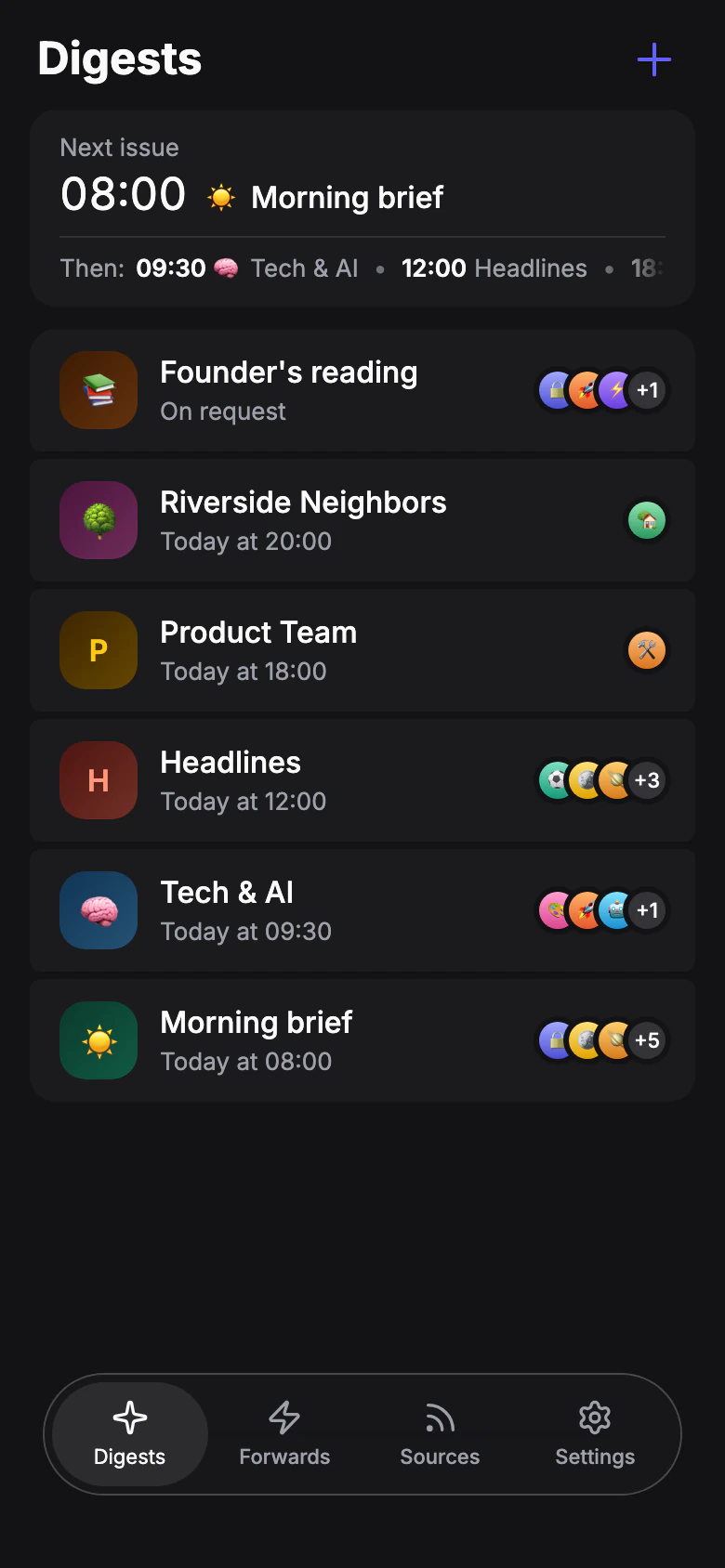
Each profile reads its own set of sources and sends to its own recipients. For example, one profile for news in your bot chat, another for industry channels forwarded to your team's group.
Digest profiles live on the Digests tab, Forwarding profiles on the Forwards tab. To create one, tap + on the tab you need: the profile gets that tab's mode. Then give it a name and fill in its sections on the same screen.
Mode
How posts from the sources reach you.
- Digest
- The bot picks what matters from new posts at the set times and sends it as one issue.
- Forwarding
- Every new post arrives right away, as is.
You can change the mode later in the profile menu, Change mode. Settings of the other mode are kept in case you switch back.
Limit for Forwarding profiles: Free: 1 · Pro 20: 3 · Pro 50: 5 · Pro 100: 10
Sections of a profile
Which sections you see depends on the mode.
| Section | Digest | Forwarding |
|---|---|---|
| Sources | ✓ | ✓ |
| Format | ✓ | |
| Filters | ✓ | ✓ |
| Schedule | ✓ | |
| Post processing | ✓ | |
| Delivery | ✓ | |
| Recipients | ✓ | ✓ |
Profile actions
Open the profile menu to:
- Turn off / Turn on — stop and resume the profile without losing its settings.
- Rename.
- Change mode — between Digest and Forwarding.
- Duplicate — a copy with the same settings. The copy is created turned off.
- Delete — your sources stay on your list.
Send now and preview
For digest profiles:
- Send now builds an issue right away from new posts and sends it to the recipients. The first time it takes posts from the last 24 hours, later — new posts since the last issue, up to three days back. Scheduled issues continue as usual.
- Preview builds up to 5 stories from the last day with the current style and filters and shows them in the app. Nothing is sent, and these posts still come in the next issue.
Limit for previews: 30 a day