Docs Profile settings
Schedule
When digests arrive — on the days and times you pick, or only when you ask.
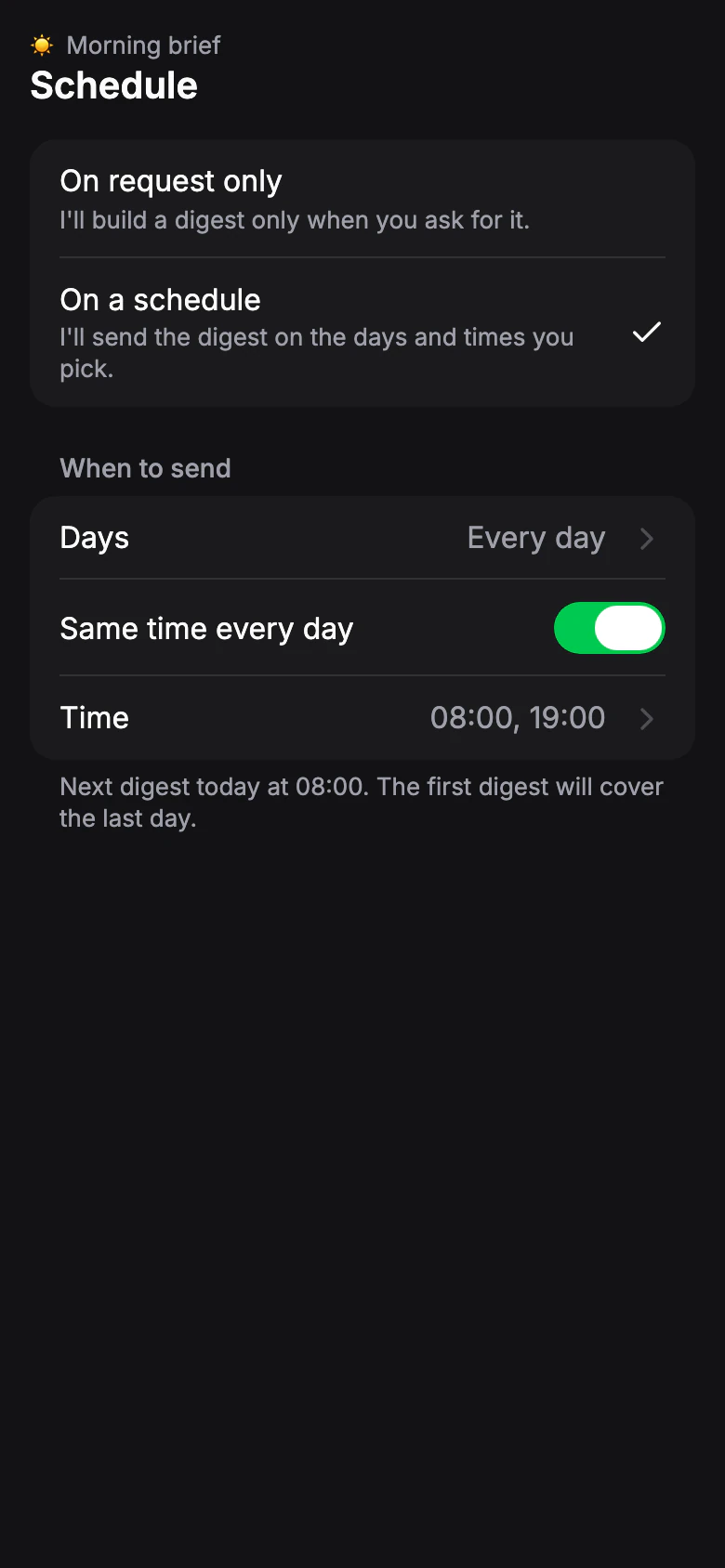
When to send
Default: On a schedule, every day at 09:00- On a schedule
- The digest arrives on the days and times you pick.
- On request only
- The bot builds a digest only when you tap Send now.
Days
Default: every dayPick any days of the week.
Same time every day
Default: OnTurn off to give each day its own times — for example, three issues on weekdays and one at the weekend.
Issue times
Default: 09:00Add as many times a day as your plan allows. Each issue covers new posts since the previous one.
Limit: Free: 1 · Pro 20: 6 · Pro 50: 12 · Pro 100: 24 a day in each profile
If you move to a plan with fewer issues, the extra times stay in the schedule but are paused: the later issues of the day are skipped. They work again after an upgrade.
Time zone
Issues arrive on your time zone's clock. It is detected automatically; change it in Settings › Time zone.
First issue
The first digest covers the last day. After that, each issue brings what's new since the one before.