Docs Profile settings
Sources
The channels and groups a profile reads. Add them once to your list, then choose which ones each profile uses.
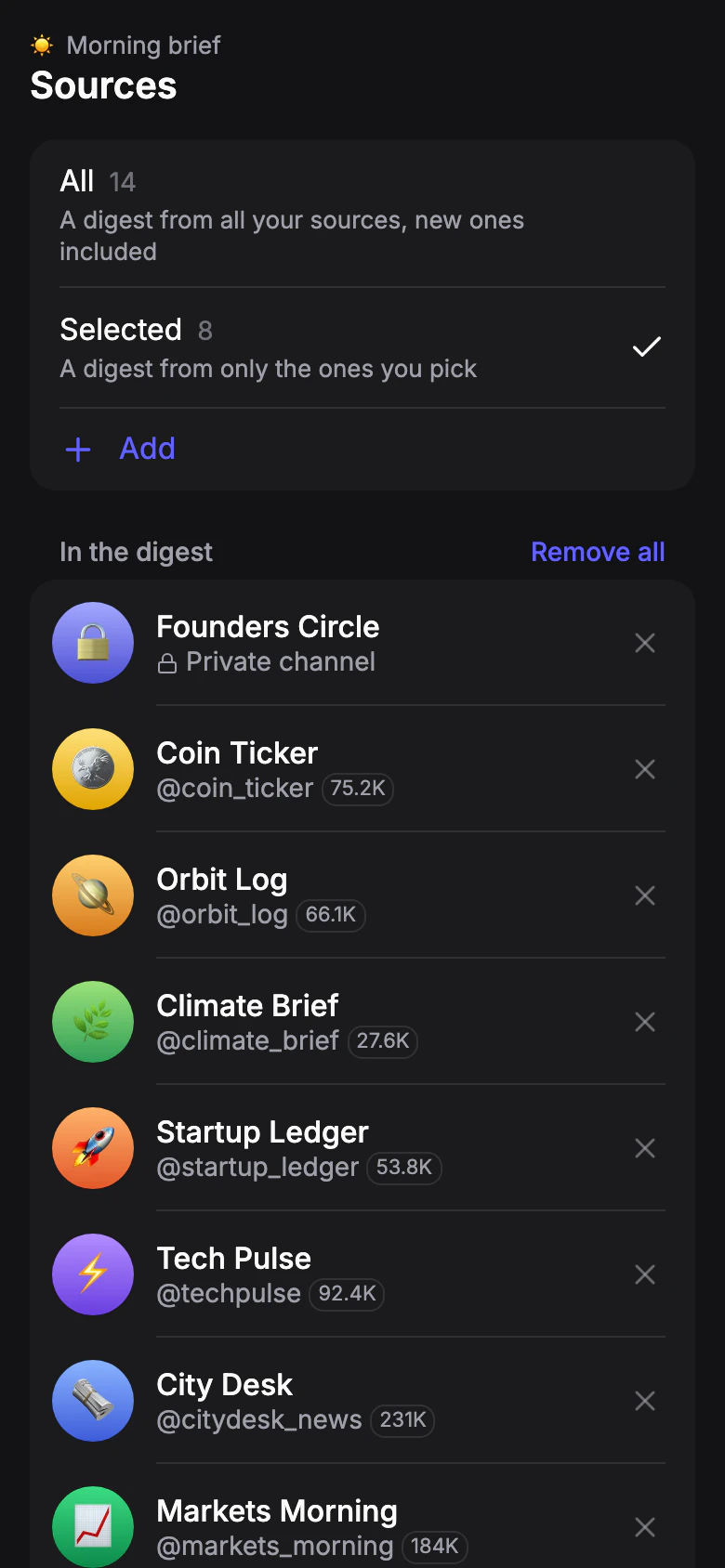
Your sources are one list for the whole account, on the Sources tab. A profile takes either all of them or the ones you pick.
Which sources
Default: All for a Digest profile, none for a Forwarding profile- All
- A digest from all your sources, new ones included.
- Selected
- A digest from only the ones you pick. Tap Add to choose from your list.
A new Forwarding profile starts with no sources: it sends every post, and with all sources it would flood the chat.
Adding a source
Paste an @channel or a t.me link. You can paste several, one per line.
- Public channel or group
- By its @name or t.me link.
- Private channel or group
- By its invite link. If the chat asks to approve new members, the source shows Join request pending and appears once an admin approves it.
To add your own channel, enter its @name in Latin letters or a t.me link.
Limit for sources: Free: 3 · Pro 20: 20 · Pro 50: 50 · Pro 100: 100
Limit for private channels: Free: — · Pro 20: — · Pro 50: 3 · Pro 100: 10
Private channels count toward the sources limit, not on top of it. Groups count as ordinary sources.
Paused sources
If your plan has fewer sources than your list, the first ones added keep working and the rest are marked Paused: over plan limit. They start working again when you remove others or upgrade.
A source can also show Channel closed or deleted or No access to the group — it no longer delivers posts; remove it or replace it.