Docs Guides
Write your own style
Tell the bot in plain words what to pick and how to write it — facts only, one sentence per story, a focus on your industry, another language.
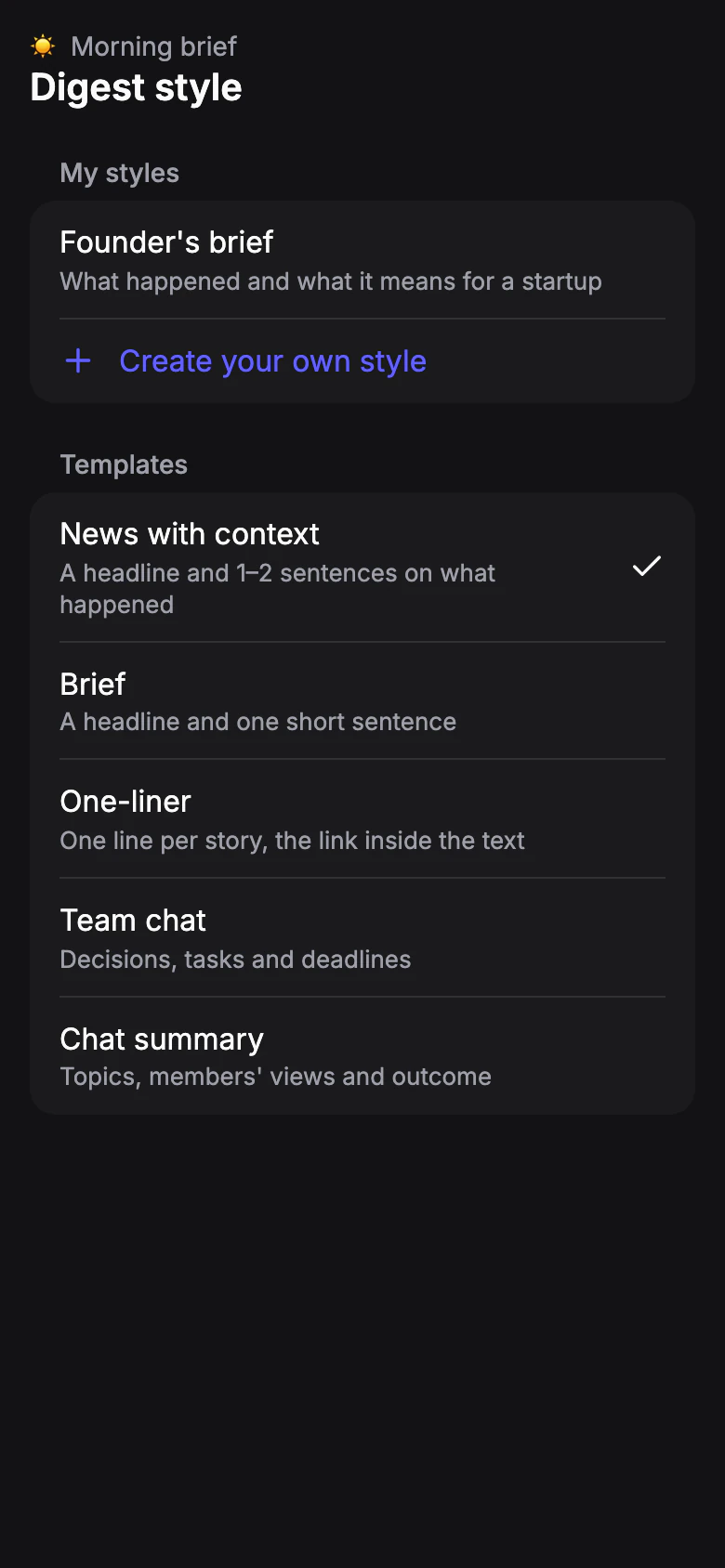
Start a new style
Open the profile, go to Format, tap the style and choose Create your own style. Your styles also live in Settings › Digest styles.
Want a head start? In Settings › Digest styles, open a built-in style under Templates and tap Edit: a copy opens, ready to change.
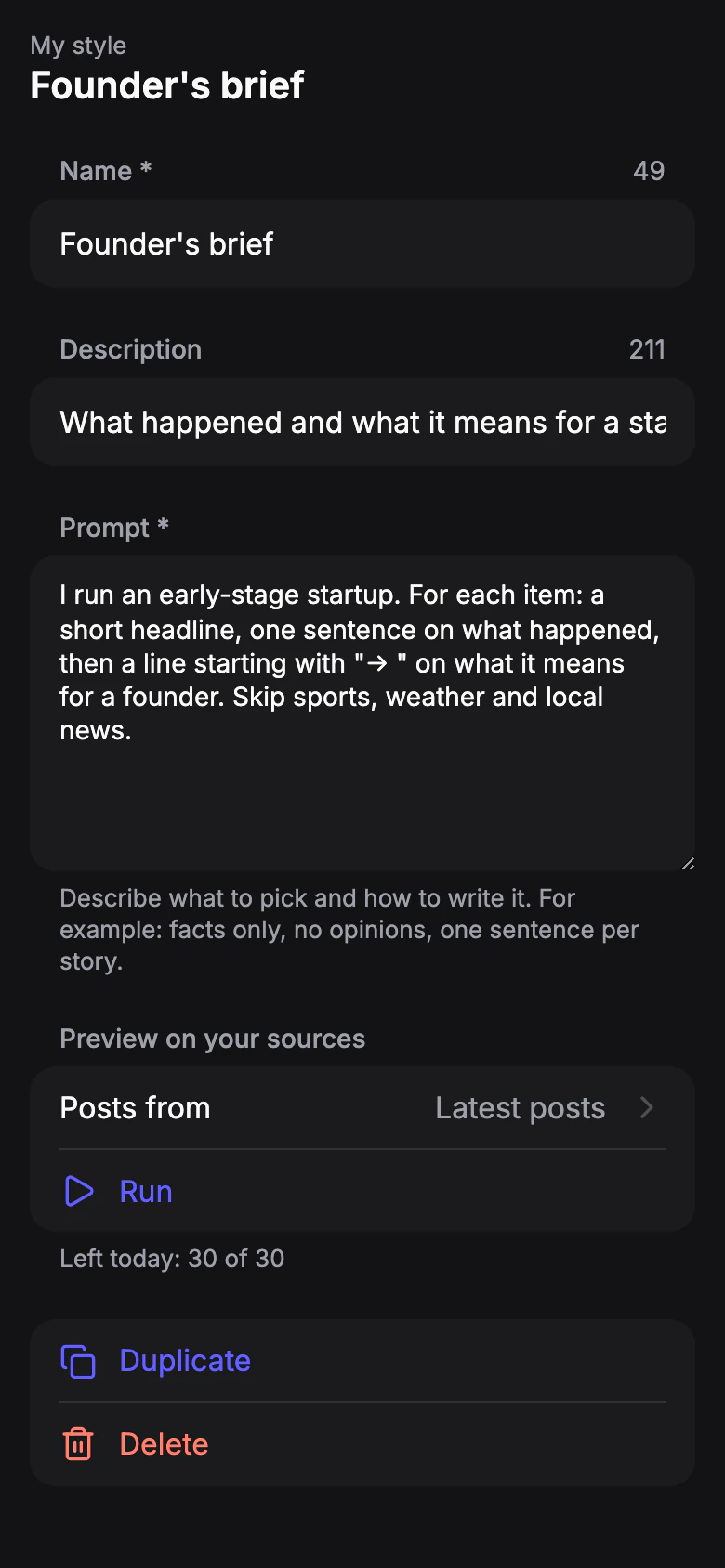
Describe it
Fill in Name and an optional Description. In Prompt, describe what to pick and how to write it. For example:
“Only news about AI startups and funding rounds. One sentence per story: who, how much, from whom. Skip opinions and ads.”
The prompt can also set the language of the digest.
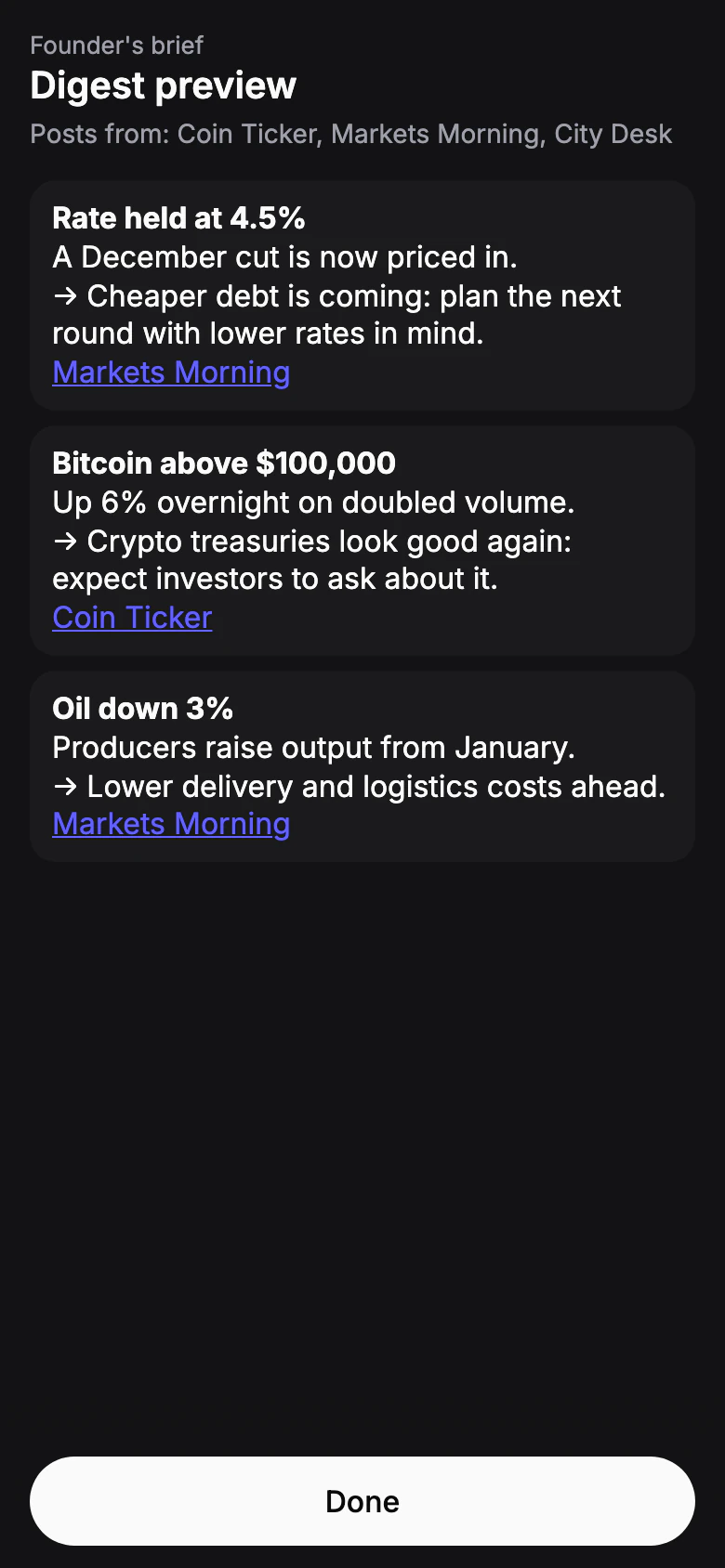
Try it on your sources
Tap Run under Preview on your sources. Take the latest posts, or choose up to a few channels by hand. The result shows in the app; nothing is sent. Adjust the prompt and run it again until it reads right.
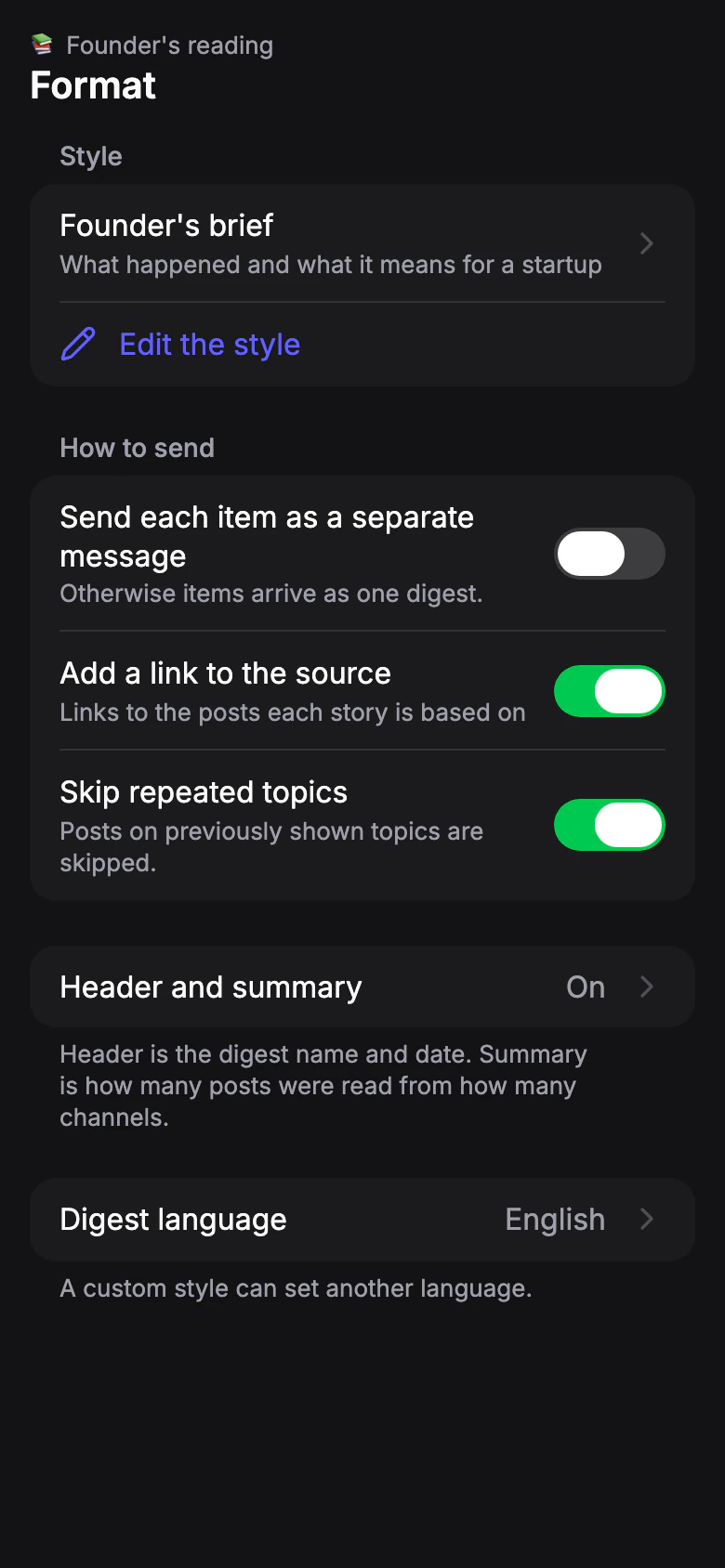
Save and use it
Tap Save. A style created from the profile becomes its style right away — tap Save in Format to keep it. One style can be used in any number of profiles.