Docs Profile settings
Format
How a digest reads — the style, whether stories come together or one by one, links to the original posts, and the language.
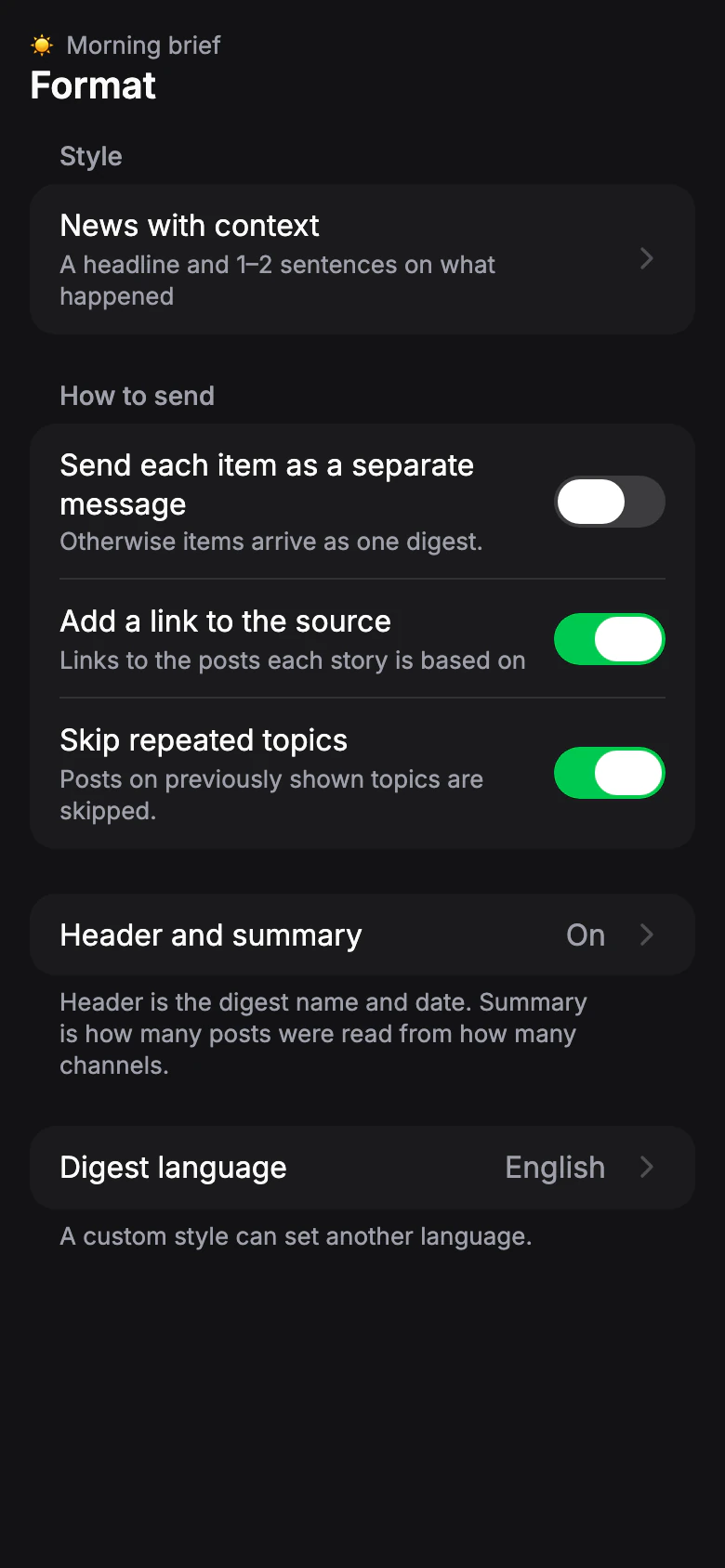
Style
Default: News with context. The profile made when you first open the app uses One-liner.How the bot picks stories and writes them.
- News with context
- A headline and 1–2 sentences on what happened.
- Brief
- A headline and one short sentence.
- One-liner
- One line per story, the link inside the text.
- Team chat
- Decisions, tasks and deadlines. For work groups.
- Chat summary
- Topics, members' views and outcome. For group chats.
You can also write your own style: describe what to pick and how to write it, then run it on your sources to check. Use a built-in style as a template, or start from scratch. See Write your own style.
Limit for your own styles: Free: — · Pro: 20
Send each item as a separate message
Default: OffOtherwise items arrive as one digest. Turn on to get each story as its own message, so you can react to, forward or discuss it separately.
Add a link to the source
Default: OnLinks to the posts each story is based on, so you can open the original in one tap.
Skip repeated topics
Default: OnPosts on previously shown topics are skipped, so a story that keeps coming up in different channels doesn't fill every issue.
Header and summary
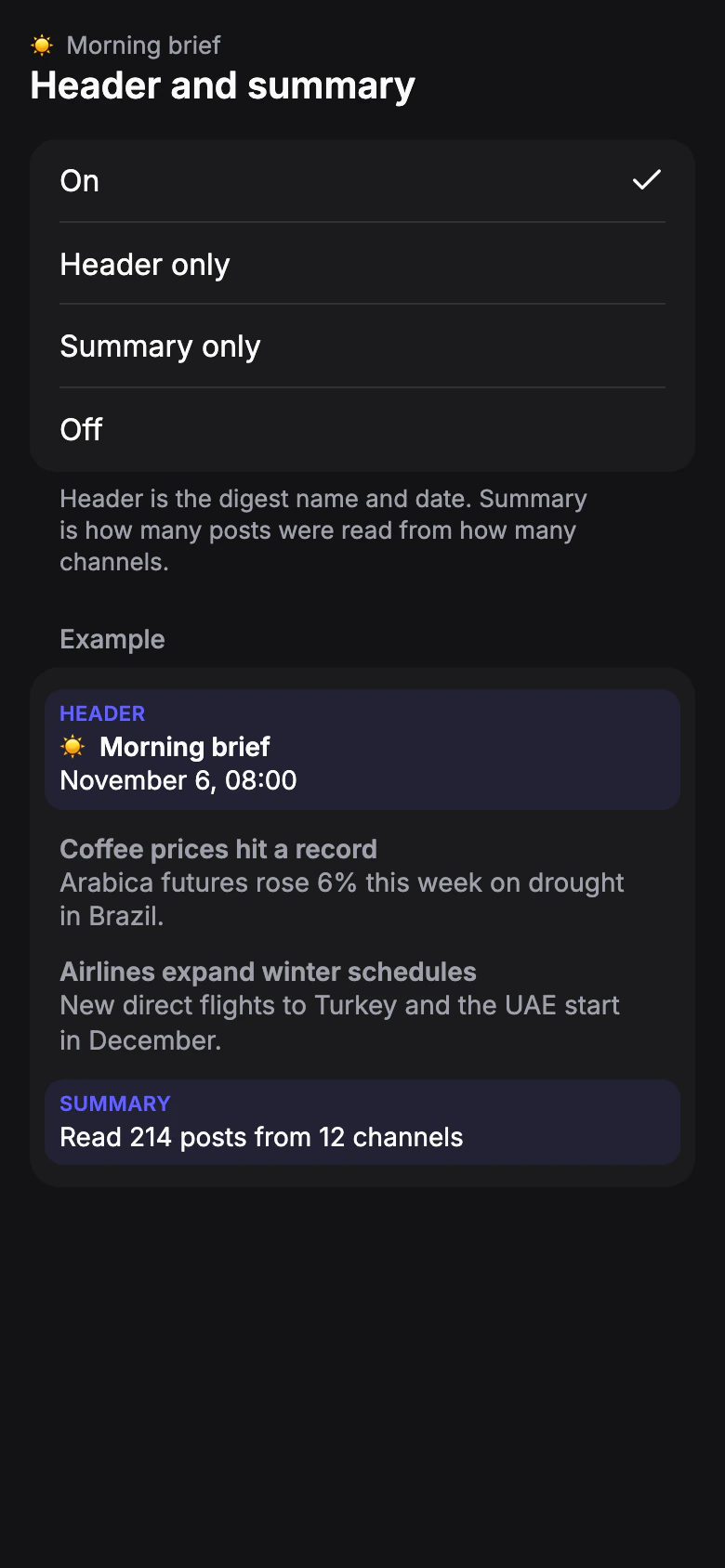
Default: OnA header at the top of the issue and a summary at the end. Header is the digest name and date. Summary is how many posts were read from how many channels.
- On
- Both.
- Header only
- Summary only
- Off
Not available when each item comes as a separate message.
Digest language
Default: the language of your Telegram, or the app languageThe language the digest is written in, whatever the language of the sources. Choose Русский, Українська, English, or the language of your Telegram. A custom style can set another language.